Containers
ISO 6346 container number check. Free time and demurrage calculation. Deposit payment and refund entries.


Manage sea, air, rail and road files on one screen. Buy, sell and profit line by line; documents in one click.
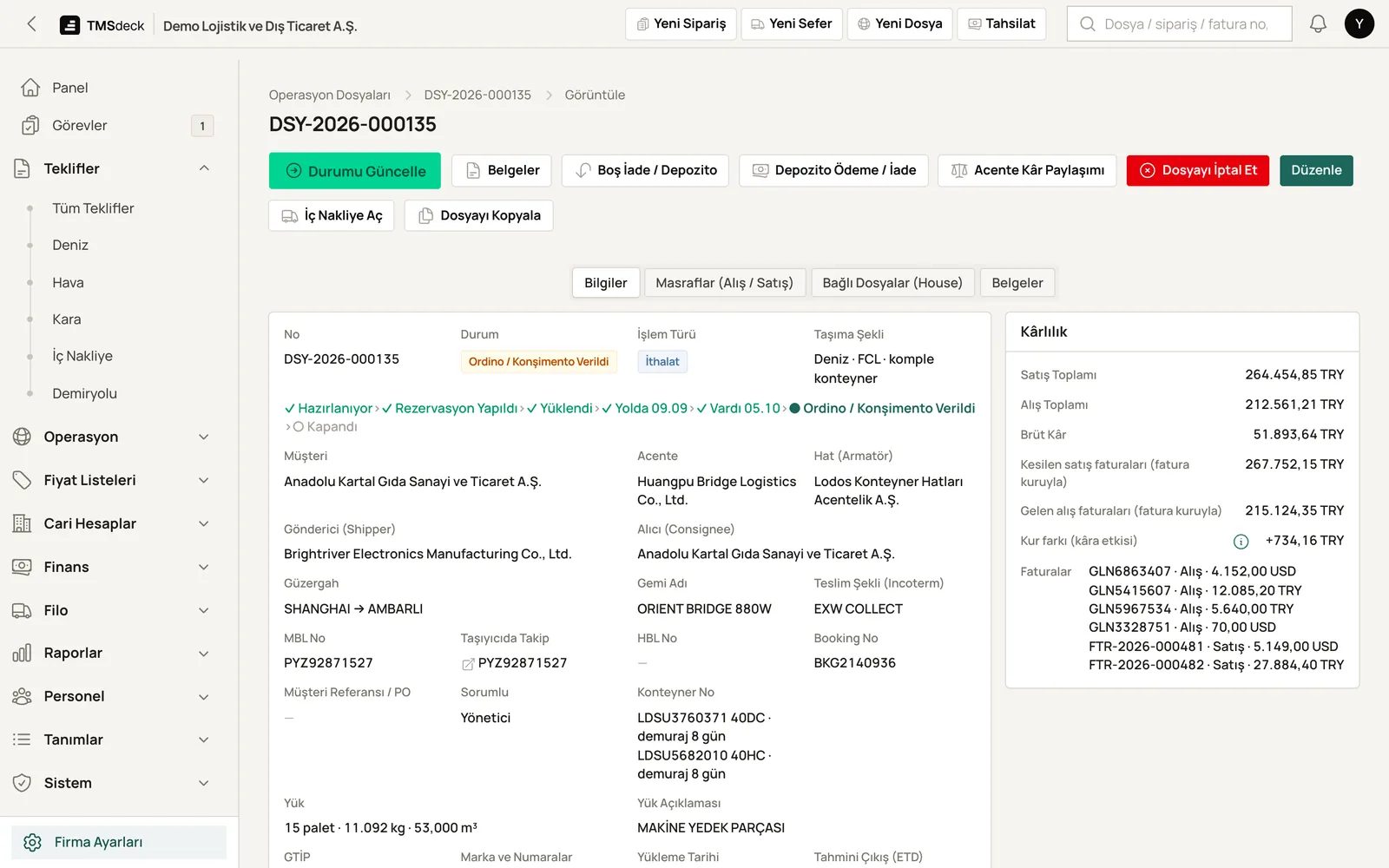
Enter the route step by step, e.g. Nansha → Shenzhen → Ambarlı → Bursa. Each line shows its buy, sell, VAT and profit. The buy price can be in a different currency.
An accepted quote becomes a file in one click. You never retype it.
Import and export; sea, air, rail, road and domestic haulage.
Only the fields that fit the job appear. No customs or Incoterms on domestic jobs.
Status changes as dates are entered: booked, loaded, in transit, arrived.
A notice when the ETA changes, a warning as the cut-off nears. The carrier's tracking link is on the file.
Ports and airports are found as you type.
Shipper and consignee directory, file owner and a personal file list. Files can be copied.
ISO 6346 container number check. Free time and demurrage calculation. Deposit payment and refund entries.
Master / house structure. Costs are split across houses without rounding loss. Agent profit share, agent statements, debit / credit notes.
EORI, summary declaration and temporary storage details are kept on the file. Customs declarations are not filed from TMSdeck; you keep working with your customs broker.
Documents are generated from the file data, so nothing is retyped. The interface is in Turkish; documents can be produced in English. English documents print in capital letters without Turkish characters.
As a transport management system, TMSdeck keeps forwarding files together with invoicing and accounting. Expected and actual file profit appear side by side in the reports.
No. EORI, summary declaration and temporary storage details are kept on the file. You keep working with your customs broker for declarations.
The interface is in Turkish. Documents can be produced in English: CMR, B/L instructions, house B/L, house AWB, pre-alerts and invoices. English documents print in capital letters without Turkish characters, so names match bookings abroad.
Yes. CBRT rates arrive daily. Close a foreign-currency invoice in lira; the exchange difference is calculated and an exchange-difference invoice can be issued.
Yes. Road Transport, Fleet and Forwarding are separate modules. You take only what you need; unused sections stay out of the menu.
In a short call we walk you through the system using trips and files like yours. Pricing follows separately, based on what you need.