Modules you need
Take only the modules you use; unused sections stay out of the menu.


Each company gets its own installation, database and web address. We manage updates and backups.
After setup you use TMSdeck in the browser, on computers and phones.
We listen to how you work and show you TMSdeck.
Pricing based on the modules and number of users you need.
Your own address (yourcompany.tmsdeck.com) and database. Company details, logo and users are set up.
Your Excel lists are loaded: accounts, opening balances, vehicles, staff, cheques and notes.
Upload your Excel files as they are. TMSdeck recognises the columns, and you drag to match any it doesn't. Every row is checked before saving, and errors are shown with their row number.
Each company has its own installation, database and address. Your data never sits in the same tables as another company's.
We handle updates; you have nothing to install.
Servers are in a data centre in Istanbul. Backups run automatically every other day, with an optional extra cloud copy. Documents and photos are kept in secure storage.
Your business data doesn't come to us. For licensing and support, only user names, e-mails, login times and usage counts are sent. No accounts, invoices, amounts or trip data.
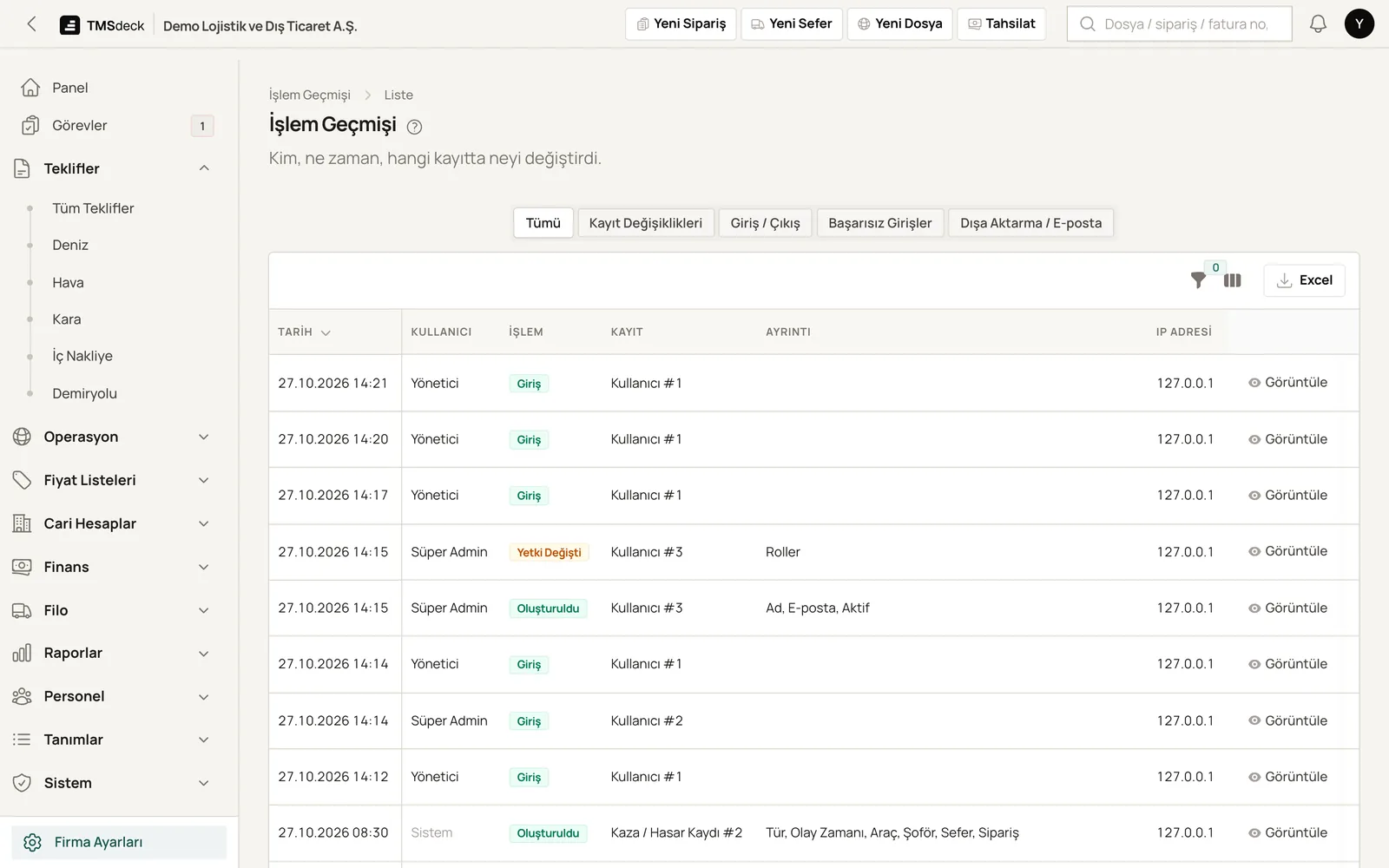
The activity log tracks every record: who changed what, where and when. Logins, failed login attempts and exports are listed separately, and the log exports to Excel.
A second verification step on top of the password.
Manager, Operations, Accounting, Pricing and Read-only roles are ready to use.
Profit and buy rates are visible only to authorised users.
Records deleted by mistake can be restored. Money entries are never deleted.
A ready-made privacy notice (KVKK) for staff, drivers and customer contacts is included. You edit it for your company, and it gets a public link.
Former employees' personal data is anonymised automatically after the retention period you set.
We recommend having the template reviewed by your lawyer.
Your licence sets your modules and user count: Road Transport, Fleet, Forwarding.
Take only the modules you use; unused sections stay out of the menu.
Add modules later as your business grows.
Turning a module off never deletes its data; it comes back when you turn it on.
No. It runs in the browser on computers and phones. Your company gets its own address.
Each company gets its own installation and database. Servers are in Turkey, with automatic backups every other day. Two-step login and role-based access are included.
We do. We install updates, and backups run automatically every other day. You don't have to do anything.
Yes. Accounts, opening balances, vehicles, staff, cheques, past trips, tariffs, toll and fuel statements load from Excel. Faulty rows are shown before saving.
In a short call we walk you through the system using trips and files like yours. Pricing follows separately, based on what you need.